I posted this on X first, but it is worth expanding here with real screenshots and the full workflow.
Short version: yes, a quick thumbs-up review can feel good, but in real pull requests you usually need something more useful than "looks fine". IX Reviewer is built for that real path.
The "Looks Good" Baseline
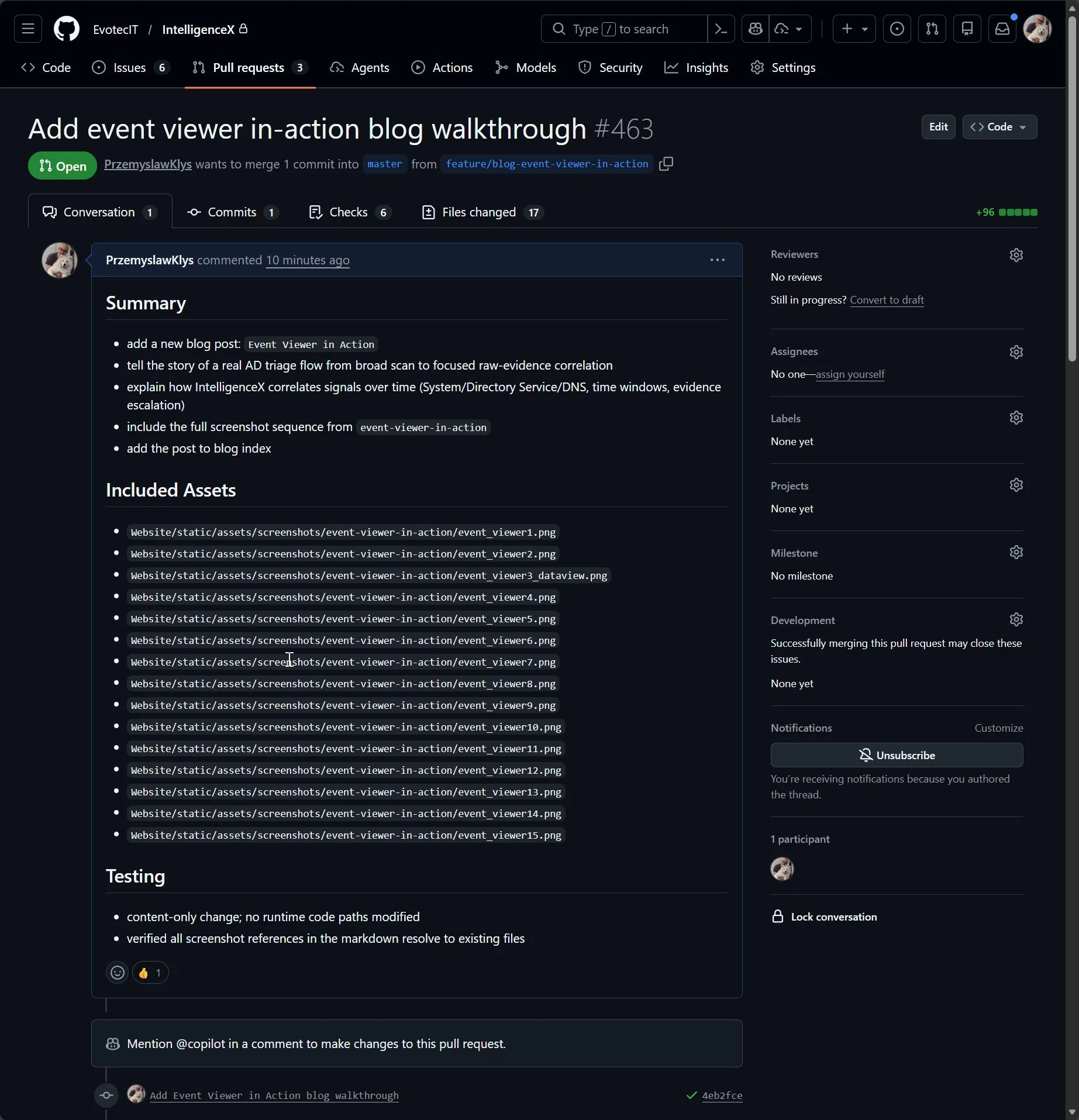
This screenshot shows the type of quick baseline output many teams start with. It is not wrong, and for tiny content changes it can be enough, but it is often too basic for production PR work.
Where IX Reviewer Starts Adding Value
On a similarly simple PR, IX Reviewer still keeps structure and keeps the result readable: summary, clear blocker sections, and explicit test/coverage notes. Even when nothing blocks merge, the feedback is still practical.

On Real PRs, It Gets Much More Useful
On runtime-impacting changes, the reviewer moves from generic comments to actionable triage. You get explicit blockers and why they matter, not only a list of lint-style nits.
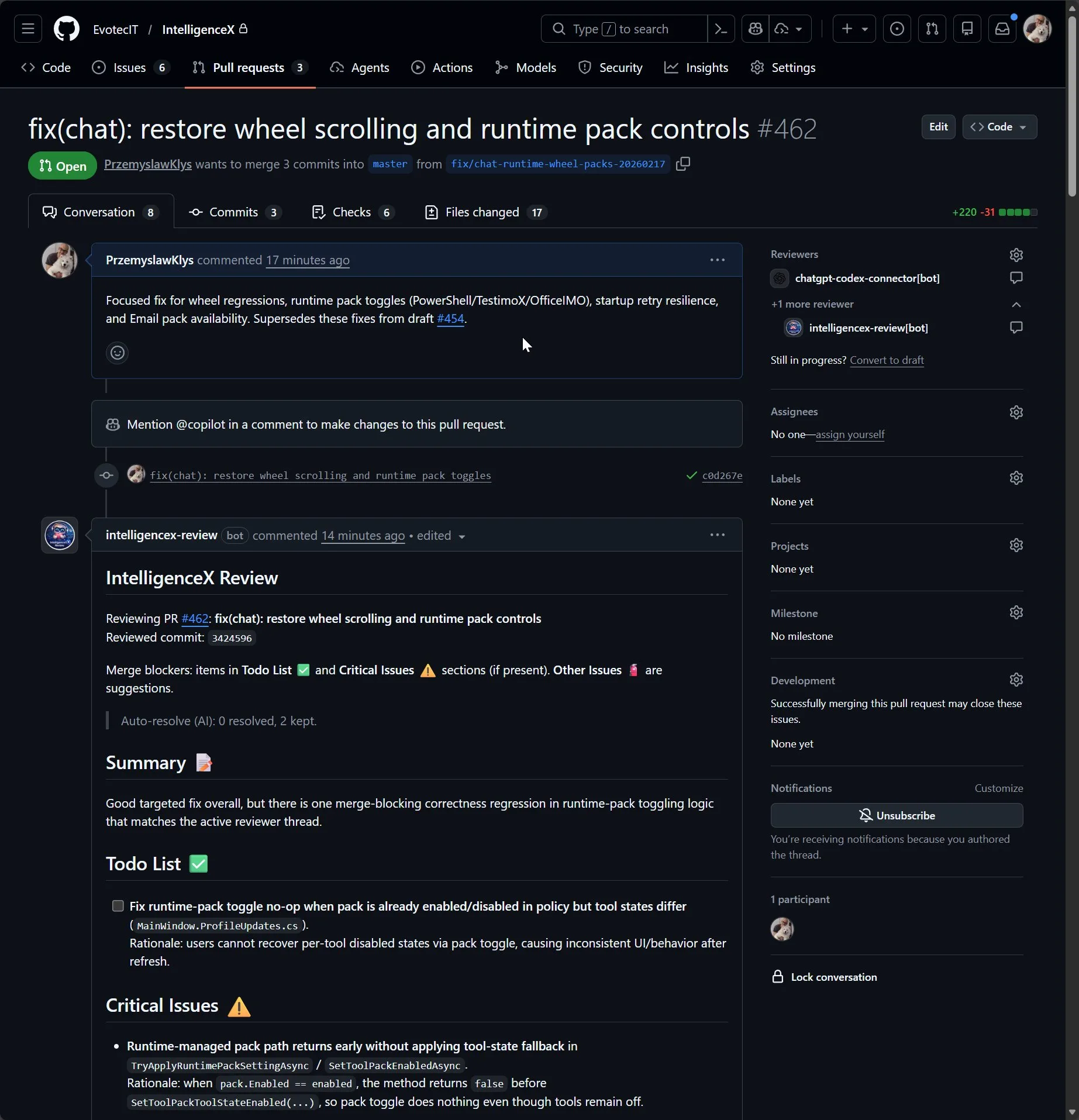
It also separates what is required from what is optional:
Todo List ✅andCritical Issues ⚠️are merge blockersOther Issues 🧯are suggestions unless maintainers escalate them
That separation helps teams avoid endless churn and focus on what actually decides merge readiness.
It Tracks Context, Not Just One Diff Snippet
Another important part is transparency. The reviewer output can include the assessed commit, diff range, model details, and usage summary so maintainers know what context was used.
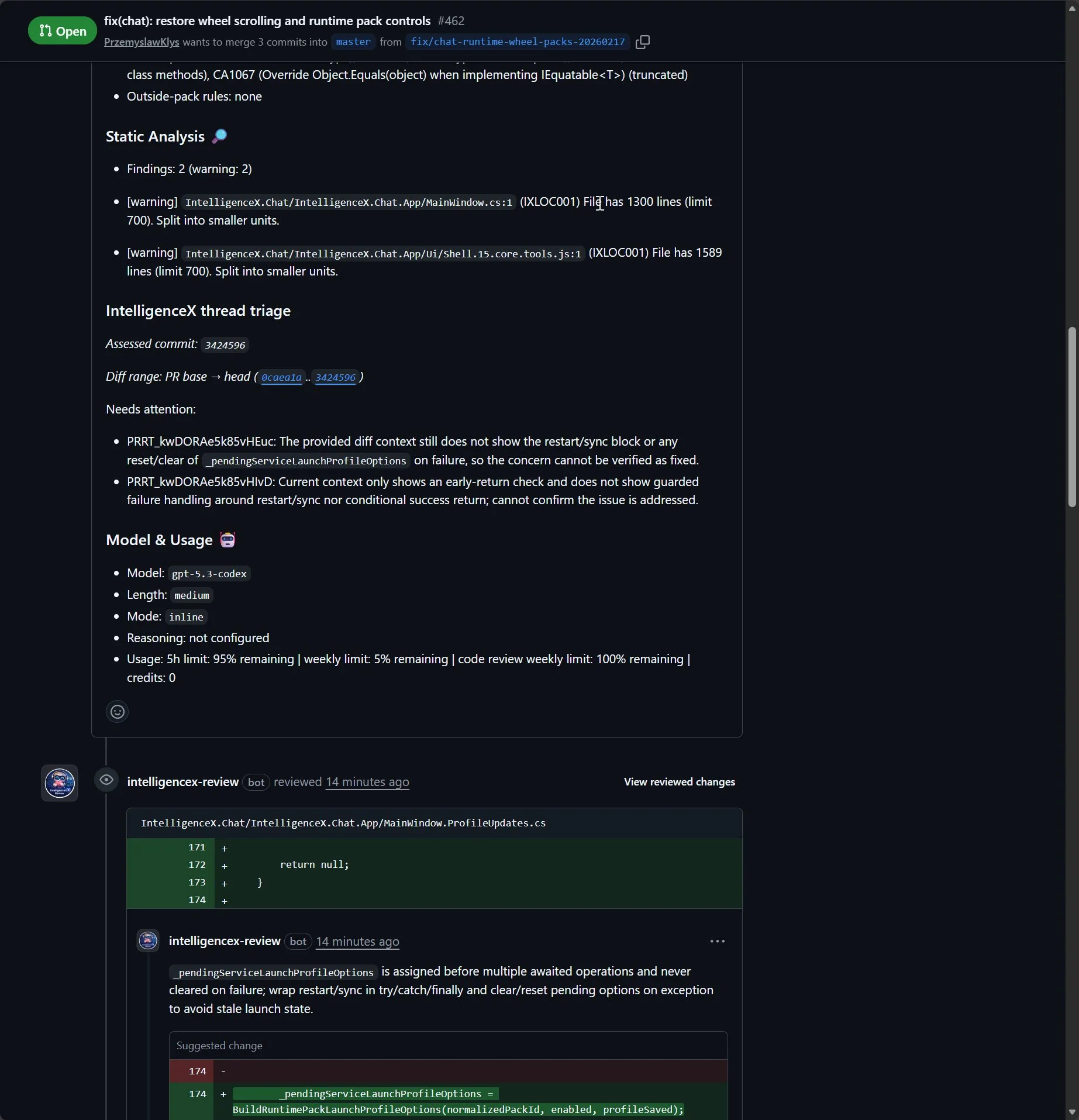
This is also why the workflow is stronger than "changed lines only" review habits. You can tune diff strategy ( current , pr-base , first-review ) and thread triage settings to verify whether issues were actually addressed end to end.
Inline Follow-Up and Fix Verification
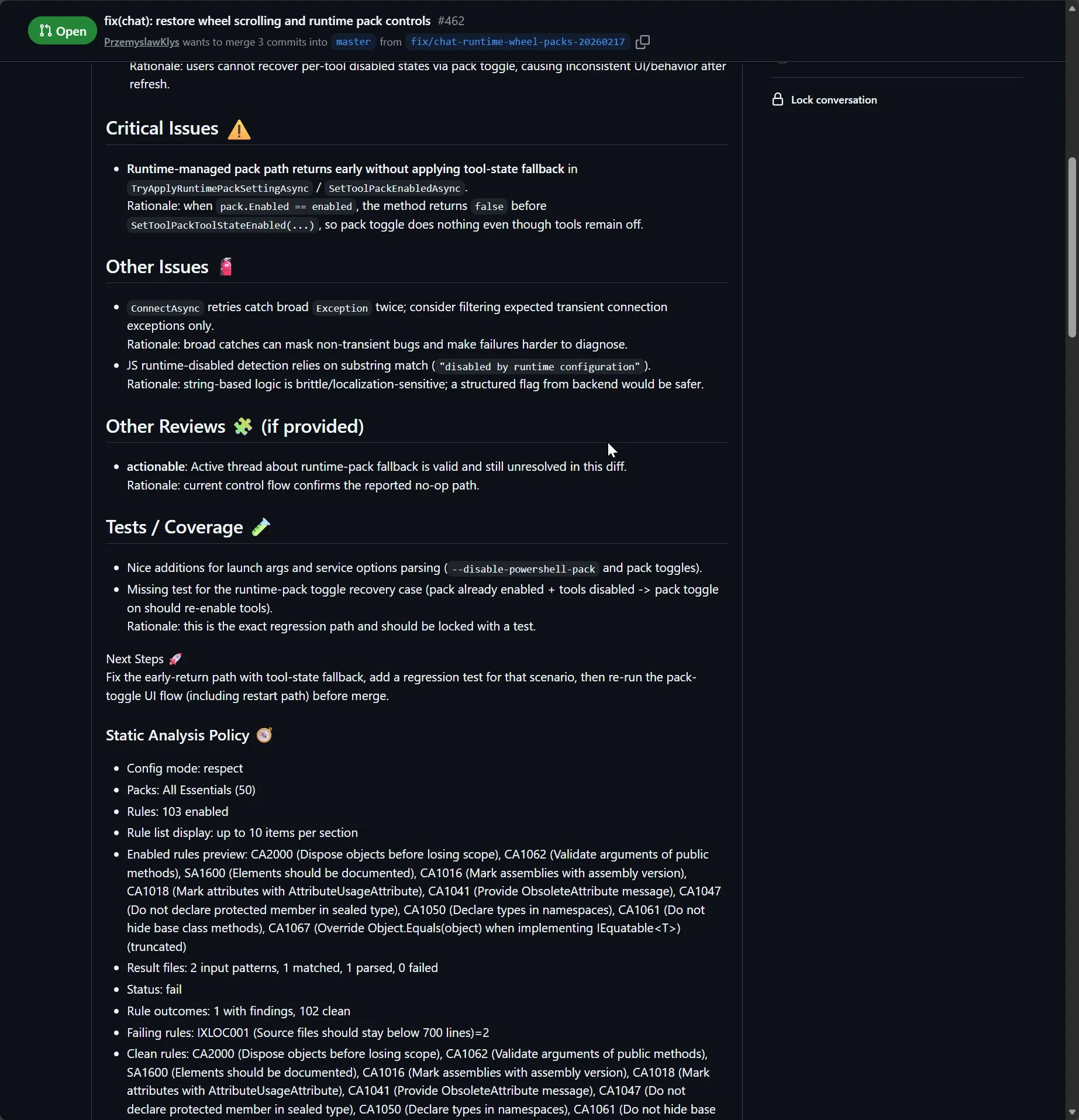
IX Reviewer does not stop at one top-level comment. It can continue through inline threads, re-check with each commit, and auto-resolve bot threads when evidence shows the issue is truly fixed.
How It Works Behind the Scenes
At a high level, the reviewer pipeline is:
- collect PR context (files, patch chunks, review threads, diff range)
- apply filtering and safety checks
- call the configured provider/model
- format structured summary + inline output
- run thread triage and optional auto-resolve with evidence checks
If you want setup details, see:
Your Auth, Your App, Your Policy
The trust model is intentionally BYO:
- authentication uses your own
intelligencex auth loginflow - usage runs on your own account/subscription limits
- bot identity can use your own GitHub App installation
- provider/model is configurable (for example
gpt-5.3-codex)
Options You Can Tune
Some high-impact knobs teams usually tune first:
mode:inline,summary, orhybridmodelandreasoningEffort: from fast/cheap to deeper reasoning passesreviewDiffRange:current,pr-base,first-reviewstrictnessandfocus: bias toward correctness/security/reliability as neededreviewThreadsAutoResolve*: evidence-gated thread cleanup and summary behaviortriageOnly: skip full review and only triage existing threads
Exact YAML and JSON Pattern (Copy/Paste Starter)
If you want output shape similar to this walkthrough, start with this split.
Workflow YAML
jobs:
  review:
    uses: <org>/<workflow-repo>/.github/workflows/review-intelligencex-reusable.yml@<pinned-sha>
    with:
      reviewer_source: source
      provider: openai
      model: <model-id>
      mode: hybrid
      length: medium
      review_config_path: .intelligencex/reviewer.json
      include_issue_comments: true
      include_review_comments: true
      include_related_prs: true
      progress_updates: true
    secrets:
      INTELLIGENCEX_AUTH_B64: ${{ secrets.INTELLIGENCEX_AUTH_B64 }}
      INTELLIGENCEX_GITHUB_APP_ID: ${{ secrets.INTELLIGENCEX_GITHUB_APP_ID }}
      INTELLIGENCEX_GITHUB_APP_PRIVATE_KEY: ${{ secrets.INTELLIGENCEX_GITHUB_APP_PRIVATE_KEY }}
Replace <org> , <workflow-repo> , <pinned-sha> , and <model-id> with your values. For latest examples, see /docs/examples/ .
Reviewer JSON
{
  "review": {
    "mode": "hybrid",
    "length": "medium",
    "style": "direct",
    "reviewDiffRange": "pr-base",
    "reviewThreadsNeedsAttentionSummary": true,
    "reviewThreadsAutoResolveOnEvidence": true,
    "reviewThreadsAutoResolveComment": true
  }
}
This keeps CI wiring in YAML and policy in JSON, which makes behavior easier to debug when teams iterate quickly.
Reproduce the Review Loop Locally
For a quick local verification before pushing workflow/config changes:
export INPUT_REPO=<owner>/<repo>
export INPUT_PR_NUMBER=<pr-number>
intelligencex reviewer run
Then after fixes are pushed:
intelligencex reviewer resolve-threads --repo <owner>/<repo> --pr <pr-number>Replace <owner> , <repo> , and <pr-number> with your real values.
That mirrors the practical PR dance: run review, fix blockers, re-run, then resolve stale bot threads when evidence is present.
Why Teams Keep It
The value is not "more comments". The value is better merge decisions:
- clearer separation between blockers and optional improvements
- stronger signal on correctness/security/reliability risks
- better continuity across commits and review-thread lifecycle
- less reviewer fatigue from style-only noise
A practical follow-up to this post can walk through one PR from first failing review to final auto-resolved thread set, including the exact config used.