IntelligenceX export flow is Markdown-first on purpose. The same normalized transcript markdown drives:
- in-app transcript rendering
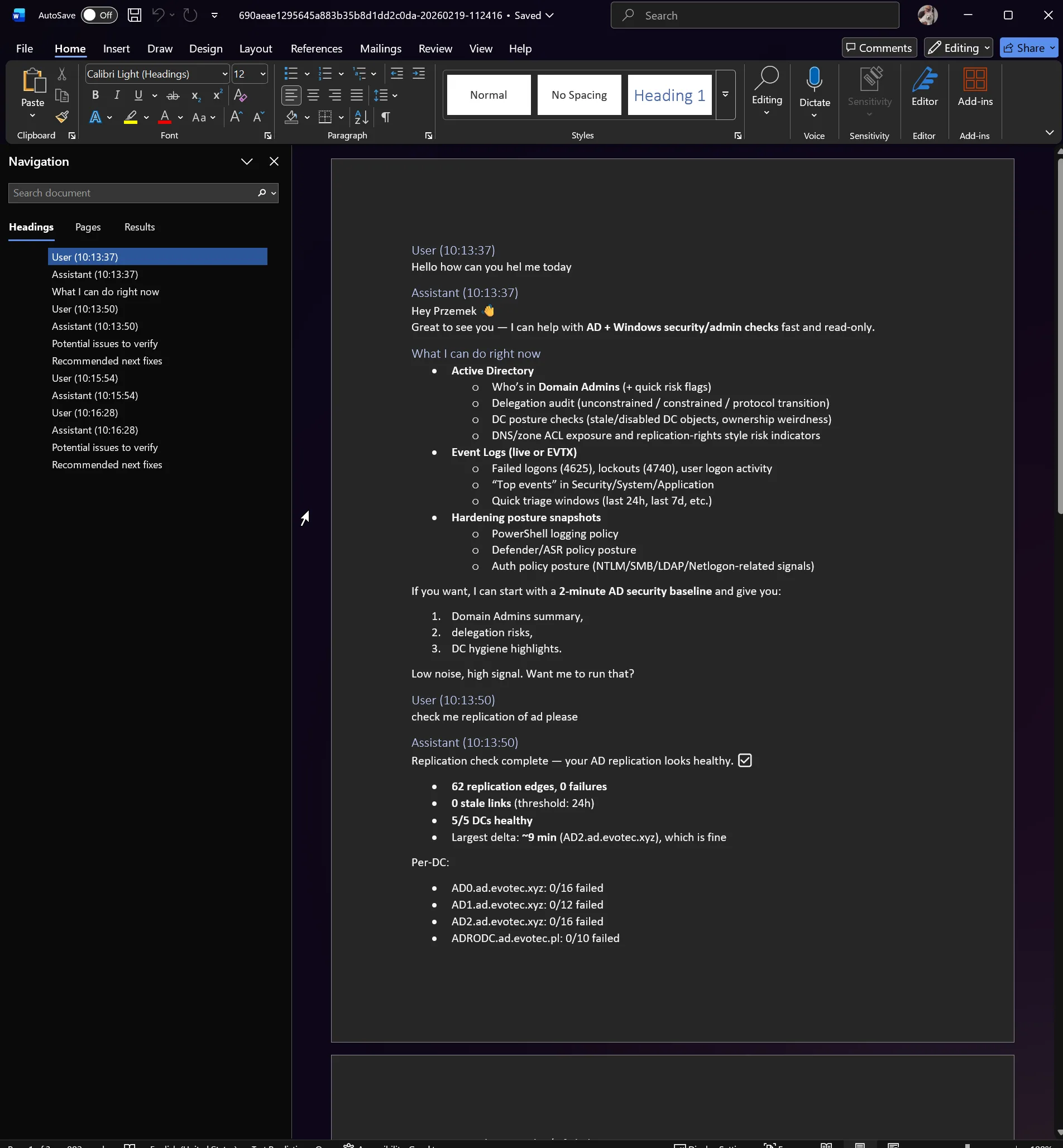
- transcript export to
.md - transcript export to
.docx - Data View export to
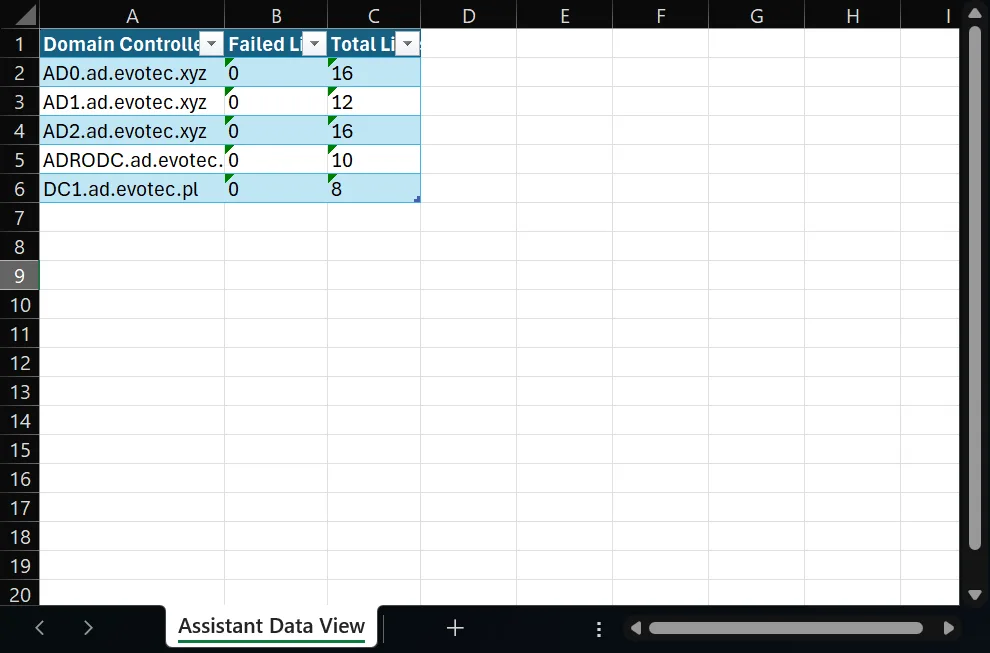
.docxand.xlsx
This keeps one canonical content path and reduces drift between what you see in chat and what lands in files.
OfficeIMO Projects We Use
The current export stack uses OfficeIMO end to end:
OfficeIMO.MarkdownRenderer: transcript markdown to HTML in chat UI.OfficeIMO.Word.Markdown: transcript markdown to Word (.docx).OfficeIMO.Excel: Data View table export to Excel (.xlsx).
No direct OpenXML document-shaping code is required in this flow.
Transcript Export: Markdown and Word
When you export a transcript:
- IntelligenceX builds normalized transcript markdown.
- Saving as
.mdwrites that markdown directly. - Saving as
.docxsends the same markdown through OfficeIMO Word Markdown conversion.
Real transcript markdown (snippet)
### User (10:16:28)
can you give me table

### Assistant (10:16:28)
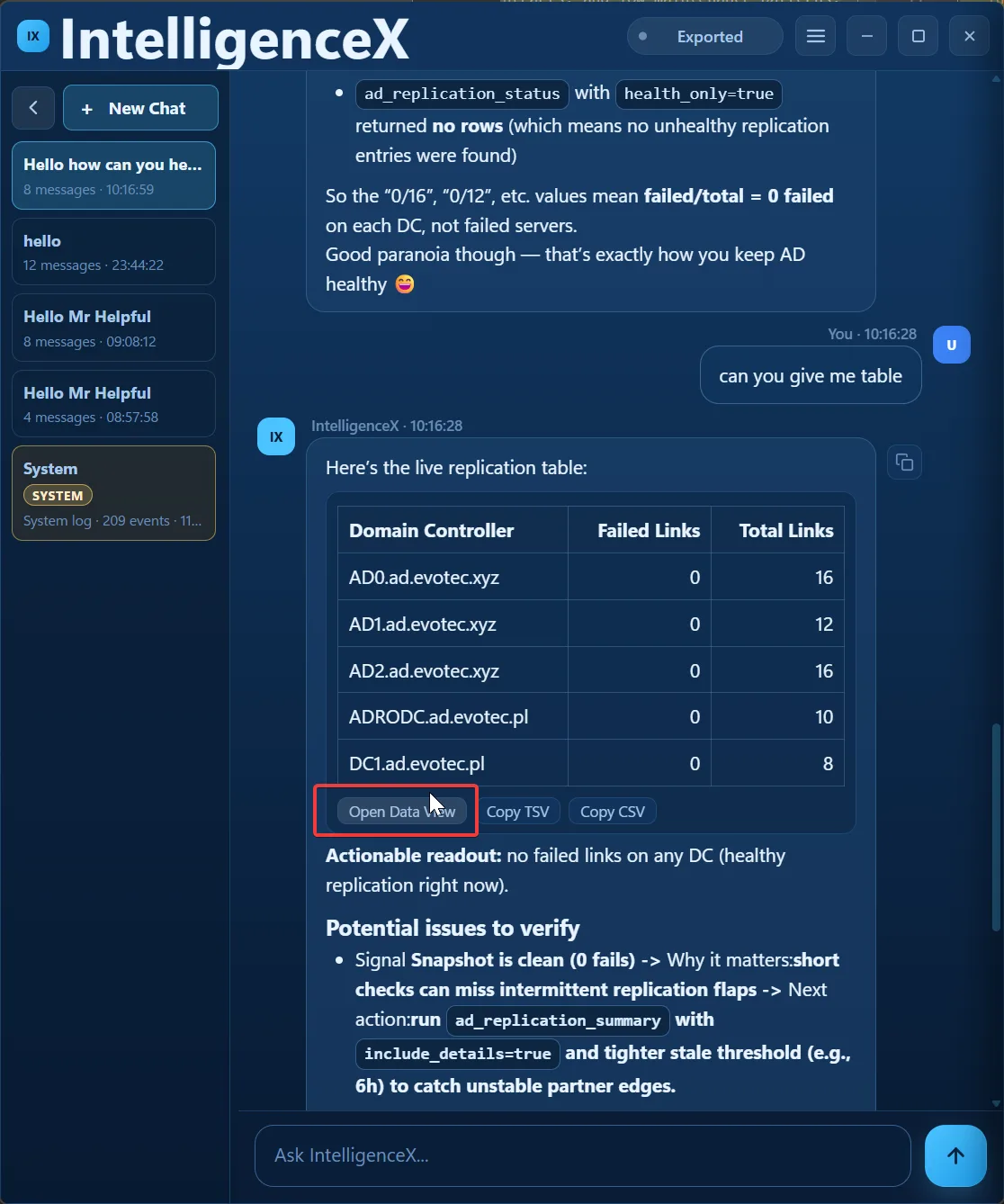
Here’s the live replication table:

| Domain Controller    | Failed Links | Total Links |
|---|---:|---:|
| AD0.ad.evotec.xyz    | 0 | 16 |
| AD1.ad.evotec.xyz    | 0 | 12 |
| AD2.ad.evotec.xyz    | 0 | 16 |
| ADRODC.ad.evotec.pl  | 0 | 10 |
| DC1.ad.evotec.pl     | 0 | 8 |
Data View Export: Table to Word and Excel
The same Data View rows can be exported to:
- Word table (
.docx) - Excel table (
.xlsx) - CSV/TSV copy/export paths
This gives fast in-app triage with DataTables plus durable artifacts for reporting.
Screenshots
Chat message with table and Data View action
Transcript exported to Word from Markdown
Data View exported to Excel
Why Markdown-First Matters
- One source of truth for transcript content.
- Easier debugging when formatting regressions appear.
- Better consistency across chat UI, markdown files, and Office documents.
- Reusable normalization/repair logic across app and Office export paths.