One of the awkward parts of real AI usage tracking is that the data is rarely in one clean place.
You might have:
- current activity in your main Windows profile
- older activity sitting in
Windows.oldafter a reinstall - more sessions inside WSL
- GitHub contributions spread across your own profile and owned organizations
- local model history in LM Studio
- Copilot CLI activity under
.copilot
That is the problem this reporting work is aimed at.
The Goal
The report is meant to answer a practical question:
what did I actually use, where did that activity happen, and how much of my visible work lives outside the obvious personal profile?
Instead of forcing you to hand-register every archive and alternate root, the CLI now discovers more of that automatically on Windows.
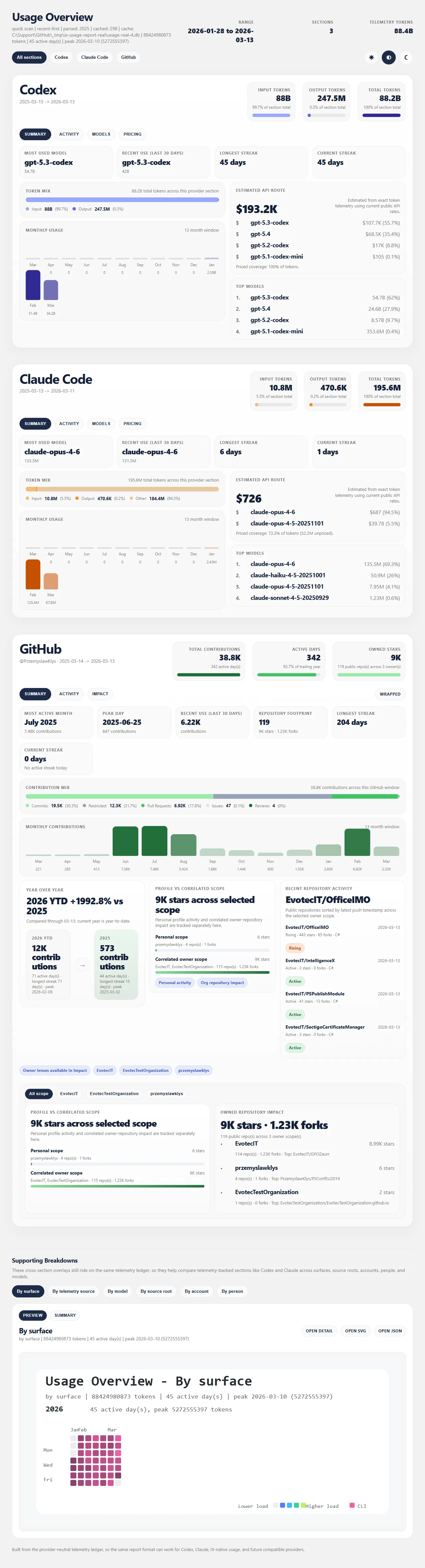
What Is Now Covered By Default
When you run intelligencex telemetry usage report , IntelligenceX now scans:
- the current user profile
- recovered profiles under
Windows.old\Users\* - live WSL distros discovered through
wsl.exe
That default profile expansion flows into the local provider roots for:
- Codex
- Claude
- LM Studio
- GitHub Copilot CLI
So a machine that has been reinstalled, partially restored, or split between Windows and WSL no longer starts from an artificially incomplete picture.
GitHub Context Matters Too
Usage reporting also grows beyond token/event telemetry when you add GitHub context.
You can now append GitHub sections with:
intelligencex telemetry usage report `
  --out-dir artifacts\usage-report `
  --github-user PrzemyslawKlys `
  --recent-first `
  --max-artifacts 200
That lets the report combine local activity with contribution and repository-impact views, including correlated owner scope when the visible work really happens through owned organizations rather than only the personal profile.
Copilot Is Included, With One Important Detail
Copilot is now treated as a first-class provider in the local telemetry pipeline. The current scope is local Copilot CLI activity from .copilot/session-state , plus the signed-in GitHub login from .copilot/config.json .
That means the report can include Copilot sessions, turns, durations, and account identity.
It can also append a GitHub-backed Copilot plan/quota snapshot when a GitHub token is available. So today, Copilot should be read as a combined activity-plus-status section, not yet as a Claude-style token model view.
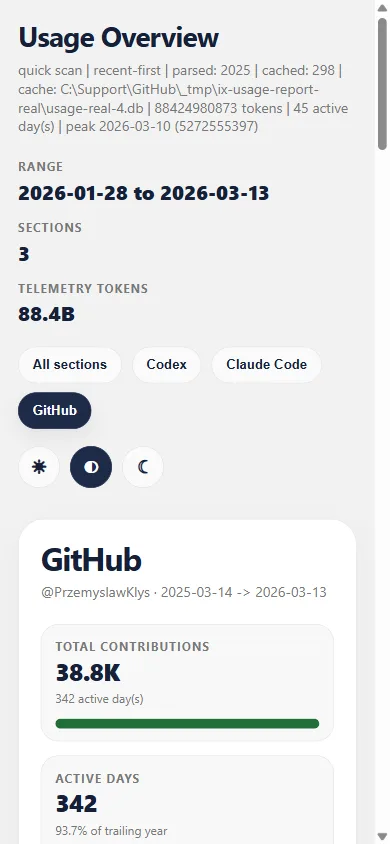
Why The Windows.old + WSL Path Matters
This is the part that tends to get lost in synthetic demos.
On real developer machines:
- reinstalls happen
- profiles get restored incompletely
- WSL carries a surprising amount of day-to-day AI usage
- org ownership hides a lot of GitHub impact from a personal-only view
If the report ignores those realities, the output looks clean but wrong. The point of this feature is not just “more scanning.” It is a more honest baseline.
Run It
The fastest path is still:
intelligencex telemetry usage report `
  --out-dir artifacts\usage-report `
  --github-user <your-github-login> `
  --recent-first `
  --max-artifacts 200
If you also have manually restored data outside the default profile locations, add extra roots with --path .
Learn The Full Workflow
The detailed CLI guide is here:
That doc covers:
- default discovery behavior
- ad hoc recovered paths
- GitHub section options
- quick scan vs durable import
- current Copilot limitations
This feature is now in a much better place for real mixed-environment machines, and it gives us a stronger base for future work such as Copilot quota snapshots and additional provider integrations.